
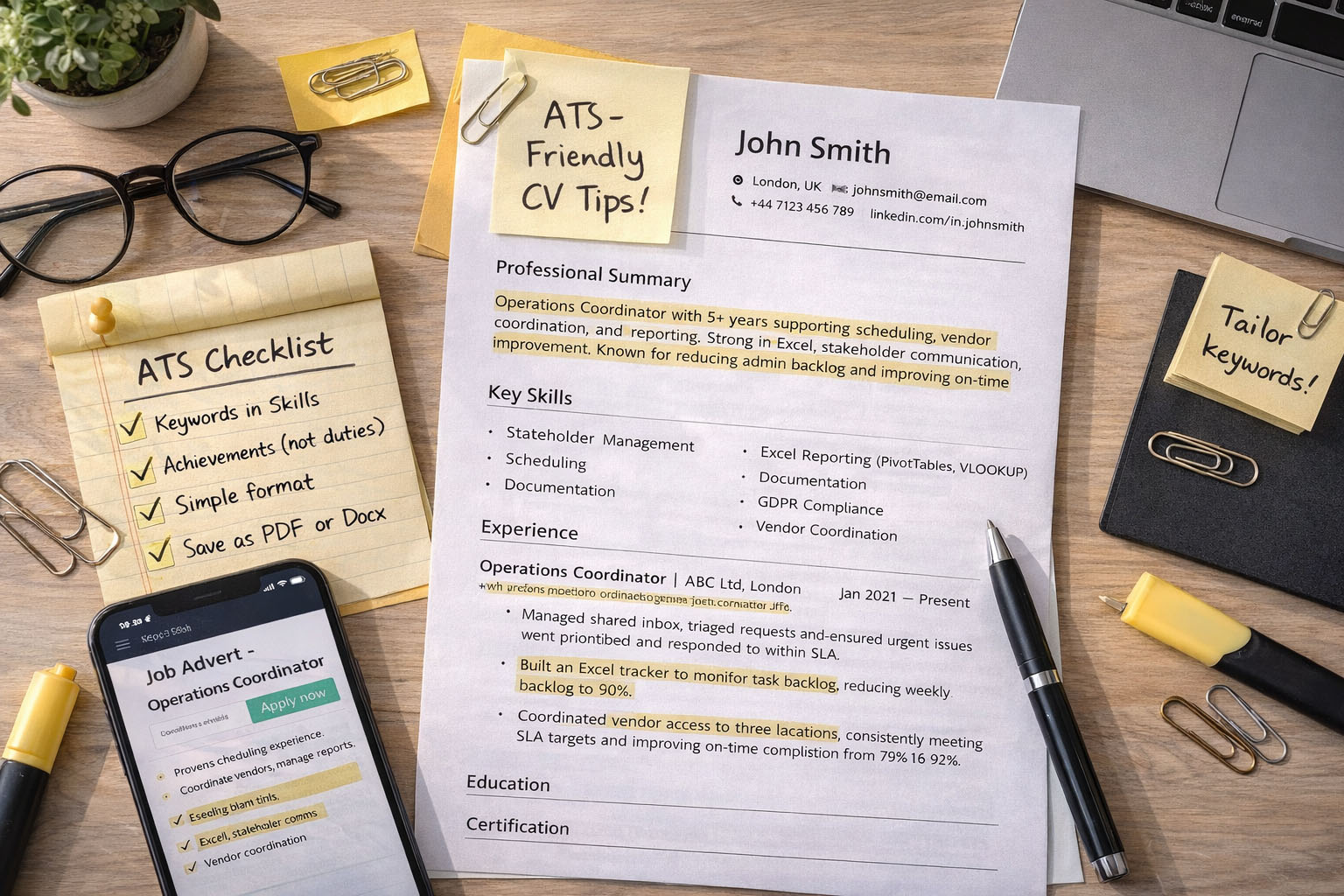
If you’re applying for UK jobs online, your CV is often scanned by an Applicant Tracking System (ATS) before a human ever sees it. That doesn’t mean you need a “robot CV”. It means you need a CV that:
- is easy to parse (clean formatting)
- uses the right keywords (from the job advert)
- proves impact with achievements (not just duties)
This guide gives you a UK-friendly structure, a keyword method that works, and example sections you can copy and adapt.
What is an ATS (and what it looks for)?
An ATS is software used by employers and recruiters to:
- store applications
- search/filter candidates by keywords (skills, tools, job titles)
- rank CVs by match signals (keywords + relevant experience)
Your goal is simple: make your CV readable to the ATS and convincing to the recruiter.
UK ATS CV rules that matter
These are the highest-impact UK basics:
- Length: usually 1–2 pages (2 pages is fine if it’s relevant and well-structured)
- No photo (common in the UK)
- Don’t include date of birth, marital status, nationality, gender
- Use a simple address format (e.g., London, UK — you don’t need full street address)
- Include right to work in the UK only if relevant/needed (keep it one line)
- Save as PDF or .docx unless the employer specifies otherwise (more on this below)
Best ATS-friendly CV structure for UK jobs
Use this exact order (it mirrors how recruiters scan):
1) Header
- Full name
- Location (City, UK)
- Phone + email
- LinkedIn URL (optional but strong)
- Portfolio/GitHub (only if relevant)
Avoid: putting key details in headers/footers (some ATS miss them).
2) Professional Summary (3–5 lines)
Your summary should match the role’s priorities: title + years + domain + top skills + impact.
Example:
Operations Coordinator with 5+ years supporting scheduling, vendor coordination, and reporting. Strong in Excel, stakeholder communication, and process improvement. Known for reducing admin backlog and improving on-time delivery.
3) Key Skills / Core Competencies (10–18 bullets)
This is your ATS “keyword bank”. Keep them hard skills + tools + core methods.
Example:
- Stakeholder management
- Scheduling & coordination
- Excel (PivotTables, VLOOKUP)
- Reporting & dashboards
- Customer service / ticket handling
- Incident logging / escalation
- Documentation & compliance
- GDPR awareness
- Process improvement
- Inventory / asset tracking
Tip: Mirror the wording in the job advert (same phrases).
4) Experience (reverse chronological)
For each role use:
- Job title | Company | Location | Dates
- 2-line context (what you were responsible for)
- 4–6 achievement bullets (results + tools + scope)
ATS-friendly bullet formula:
Action + tool + scope + measurable result
Example bullets:
- Reduced weekly admin backlog by 30% by standardising requests and creating an Excel tracker for priorities and deadlines.
- Coordinated vendor access and site visits across 4 locations, improving on-time completion from 75% to 92%.
- Managed customer queries and escalations, consistently meeting SLA targets and improving response time through templated replies.
5) Education
Keep it clean and simple:
- Qualification | Institution | Year (optional)
6) Certifications (only if relevant)
Examples:
- CompTIA, ITIL, Google certs, Microsoft, etc.
7) Tools / Tech (optional but powerful)
Use a tight list:
- Tools: Excel, Outlook, Teams, Jira/ServiceNow, WordPress, etc.
- Methods: ticket triage, SOP writing, incident logging, QA checks
8) Additional (optional)
- Languages
- Volunteering (if relevant)
- Professional memberships
ATS formatting: what to do (and what to avoid)
Do this
- Use a clean font (Calibri, Arial, Times New Roman)
- Use standard headings: Professional Summary, Skills, Experience, Education, Certifications
- Use bullet points (•) and consistent spacing
- Use Microsoft Word styles (Heading 1/2) for structure
- Keep dates simple (e.g., Jan 2023 – Dec 2024)
Avoid this (common ATS problems)
- Tables, columns, text boxes, icons, CV “sidebars”
- Graphics, charts, heavy design templates
- Headers/footers for important info
- Images (even small ones)
- Scanned PDFs
Quick self-test: copy your CV into Notepad. If it becomes messy, the ATS will struggle too.
Keyword strategy that actually works (10 minutes per job)
This is the fastest method:
Step 1: Pull keywords from the job advert
Copy the job advert text into a note and highlight:
- Job title variations (e.g., “Service Desk Analyst”, “IT Support Analyst”)
- Tools (e.g., ServiceNow, Jira, Excel, Active Directory)
- Skills (e.g., ticket triage, customer service, SLA, incident management)
- Certifications (ITIL, CompTIA, etc.)
Step 2: Group into “Must-have” and “Nice-to-have”
Then make sure the must-haves appear in:
- Skills section
- Experience bullets (where they’re proven)
Step 3: Use synonyms + acronyms once
Example:
- “Customer Relationship Management (CRM)”
- “Service Level Agreements (SLAs)”
Step 4: Match keyword placement to evidence
Don’t just list tools—prove them:
- “Created weekly KPI report in Excel (PivotTables) for leadership review.”
UK CV keyword banks (copy and adapt)
Admin / Office / Coordinator roles
- diary management, scheduling, inbox management, stakeholder communication
- minute taking, document control, data entry, reporting, spreadsheets
- PO processing, vendor management, compliance, GDPR, filing systems
Service Desk / IT Support
- ticket triage, incident logging, SLA, escalation, troubleshooting
- Windows, Office 365, Active Directory, password resets
- remote support, hardware/software support, user onboarding
Operations / Facilities
- supplier coordination, site support, work orders, audits
- capturing requirements, process improvement, risk, health & safety awareness
- inventory, asset tracking, reporting, service delivery
Entry cybersecurity / compliance support
- access control, least privilege, MFA, phishing awareness
- incident reporting, log review (basic), documentation, policies
- risk awareness, GDPR, data handling, security basics
Example sections you can copy (ATS-ready)
Professional Summary (example)
Operations Coordinator with 6+ years supporting admin, scheduling, vendor coordination and reporting in fast-paced environments. Strong Excel skills, documentation accuracy, and stakeholder communication. Known for improving turnaround times and keeping teams compliant and organised.
Key Skills (example)
Scheduling • Stakeholder Management • Excel Reporting • Documentation • GDPR Awareness • Process Improvement • Customer Service • Ticket Handling • SLA Support • Vendor Coordination
Experience bullets (example)
- Managed shared inbox and triaged requests, ensuring urgent issues were prioritised and responded to within SLA.
- Built an Excel tracker to monitor tasks and deadlines, improving visibility and reducing missed actions.
- Produced weekly reports for management, highlighting trends, exceptions and required follow-ups.
- Updated SOPs and checklists to standardise routine tasks and reduce errors.
File format: PDF or Word?
- If an application portal lets you upload .docx, it’s often the safest for ATS parsing.
- If you use PDF, keep it text-based (not scanned) and avoid fancy formatting.
If you’re unsure, submit .docx unless the employer requests PDF.
Bonus: free ways to “ATS-check” your CV
- Paste your CV into Notepad: does it stay readable?
- Compare your Skills section vs the job advert: are the must-have terms present?
- Use an ATS scanner tool like Jobscan if you want a match-style check (optional).
Mini checklist before you apply
- CV matches the job title language (where truthful)
- 10–18 keyword skills listed
- Experience bullets include tools + results
- No tables/columns/text boxes
- File name: FirstName_LastName_CV_JobTitle.pdf/docx
