The Co-operative Bank has launched a free public scam checker to help users identify potentially fraudulent texts, emails, and websites.
What Happened
The service was announced on 7 October 2026 through a partnership with Ask Silver.
Skint Dad tested the tool using three suspicious messages: a fake DPD delivery text, an email claiming millions from the Warren Buffett Foundation, and a supposed €5.5 million compensation email.
All three were flagged with a warning: “This could be a scam”.
How the Tool Works
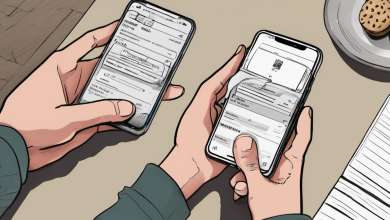
Users can submit a website link or a screenshot of a text, email, letter, or leaflet through the official checker page.
Ask Silver uses artificial intelligence to scan for warning signs such as mismatched domains, suspicious links, or unusual promises.
Results are delivered in less than 30 seconds.
Key Facts
- The tool is free and available to anyone, regardless of whether they are a Co-operative Bank customer.
- It does not guarantee that a message is safe — a result labeled “safe” does not prove safety.
- Submitted content may be used to train and improve the AI system, per Ask Silver’s privacy policy.
- Personal details like bank numbers, addresses, or phone numbers should not be included in screenshots.
Why It Matters
Online scams are common, especially in messages that mimic trusted organisations like banks or delivery services.
This tool gives users a quick, accessible way to verify messages before clicking links or sharing personal information.
It supports financial safety, especially for individuals who may not be familiar with scam indicators.
Limitations and Warnings
Skint Dad tested only suspicious messages — not a balanced mix of genuine and fraudulent content.
Therefore, the tool’s overall accuracy cannot be confirmed from this test.
The AI does not guarantee correct results. A message marked as safe is not proof it is safe.
Users should still verify suspicious messages independently.
Safe Use Tips
- Do not click links in suspicious messages.
- Open the checker on its official website.
- Enter the website address or upload a screenshot.
- Remove any personal details before uploading.
- Read the result, but verify independently.
- If the message claims to come from a bank or delivery service, contact that organisation through an official channel you trust.
What to Do If Scammed
If you’ve already shared personal details or paid someone you believe to be a fraudster:
- Immediately contact your bank.
- Report the incident to report@phishing.gov.uk (for England, Wales, Northern Ireland) or 101 (for Scotland).
- Forward suspicious texts to 7726 for free.
- Forward suspicious emails to report@phishing.gov.uk.
Additional Resources
For more guidance on spotting scams, see the Co-operative Bank scam checker or the Skint Dad guides on scam texts and financial fraud.
For budgeting and financial management tips, visit our Savings and Budgeting Tips page.
Learn about upcoming changes to bank account deductions with the DWP bank account deduction rules.
Always remember: a scam checker is a tool — not a guarantee. Use it with caution and verify any message independently.
Sources & further reading
Featured image: Co-operative Bank Oxford branch.jpg by Kaihsu Tai, CC BY-SA 3.0, via Wikimedia Commons. Image source · License