The Pomodoro Technique is a simple, time-tested method for improving focus and productivity. This structure helps users avoid distractions and maintain consistent progress.
What Is the Pomodoro Technique?
The technique was developed in the 1980s by Italian student Francesco Cirillo. He struggled with focus during college and used a small kitchen timer shaped like a tomato to stay on task.
He found that setting a timer for 25 minutes and working until it rang helped him stay engaged.
After four such cycles, a longer break of 15 to 30 minutes is recommended. This cycle repeats until the task is complete.
While the original version uses fixed time blocks, users can adjust them to match their workflow. For example, some find longer work sessions help when writing, while shorter ones suit routine tasks.
How the Technique Works in Practice
Users begin by selecting a task that takes about 25 minutes to complete. This might be a section of a report or a research step.
They set a timer and work without interruptions. Notifications, emails, or social media are typically silenced during this time.
When the timer ends, they take a 5-minute break. This time can be used to stretch, get coffee, or check social media—activities not allowed during work.
After four such sessions, a longer break is taken. This helps reset focus and prevent mental fatigue.
After the break, the cycle restarts. Most people complete two full cycles, but some manage three or four depending on the workload.
Why the Technique Is Effective
Short work blocks reduce the feeling of being overwhelmed. A 25-minute interval is long enough to make real progress but short enough to avoid burnout.
Breaks are brief and feel manageable. They allow users to pause without disrupting workflow.
Once users start a session, they often find a rhythm. By the time they reach the halfway point, motivation tends to grow.
Even when users don’t feel like working, the structure encourages action. Starting a timer is a small commitment that leads to progress.
Best Pomodoro Timer Apps in 2026
While any timer can be used, dedicated apps offer automation and tracking. These apps simplify the process by managing work and break transitions.
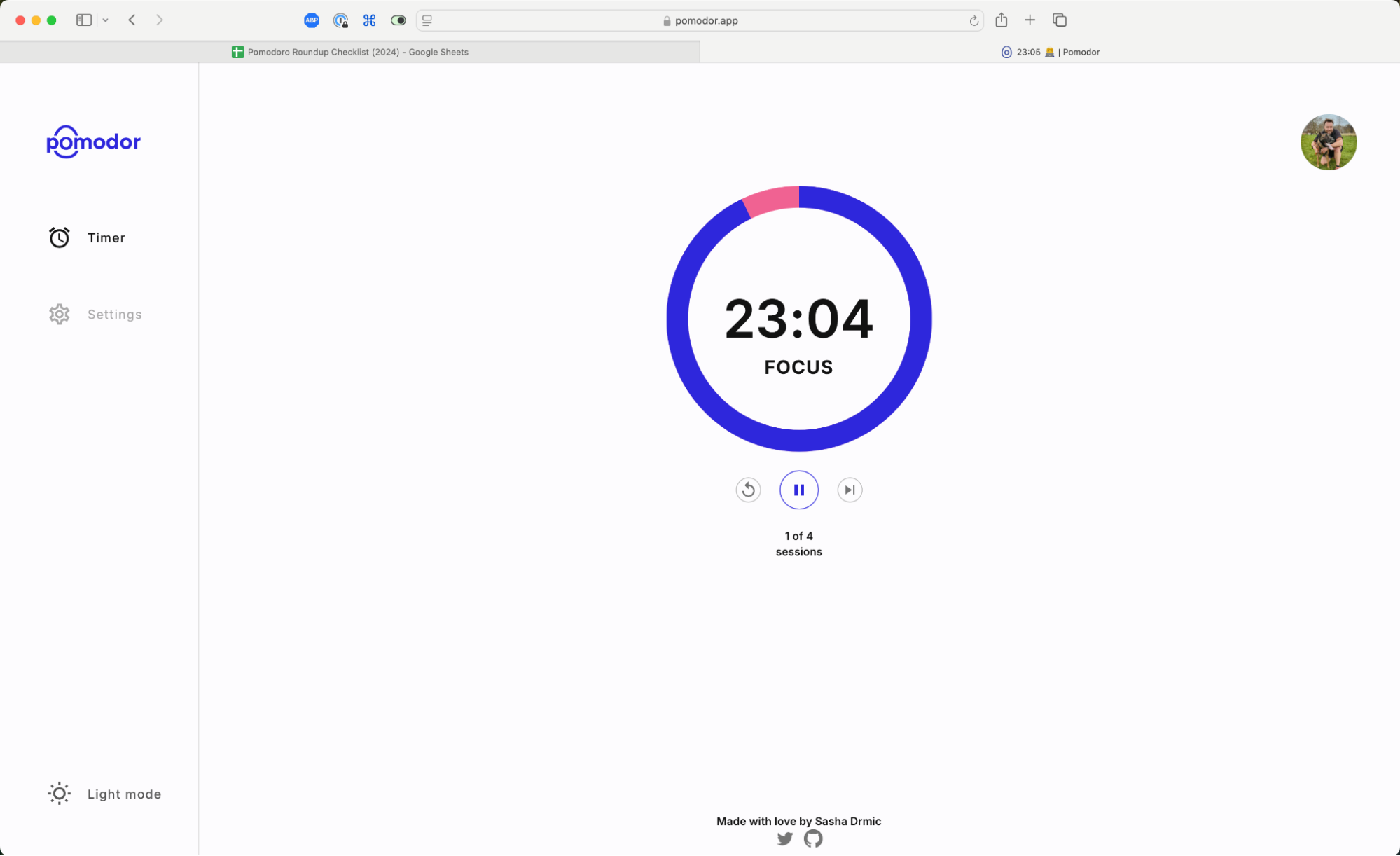
- Pomodor: A simple, web-based timer. It allows customization of work and break durations. No installation needed. Ideal for users who want a minimal, distraction-free experience.
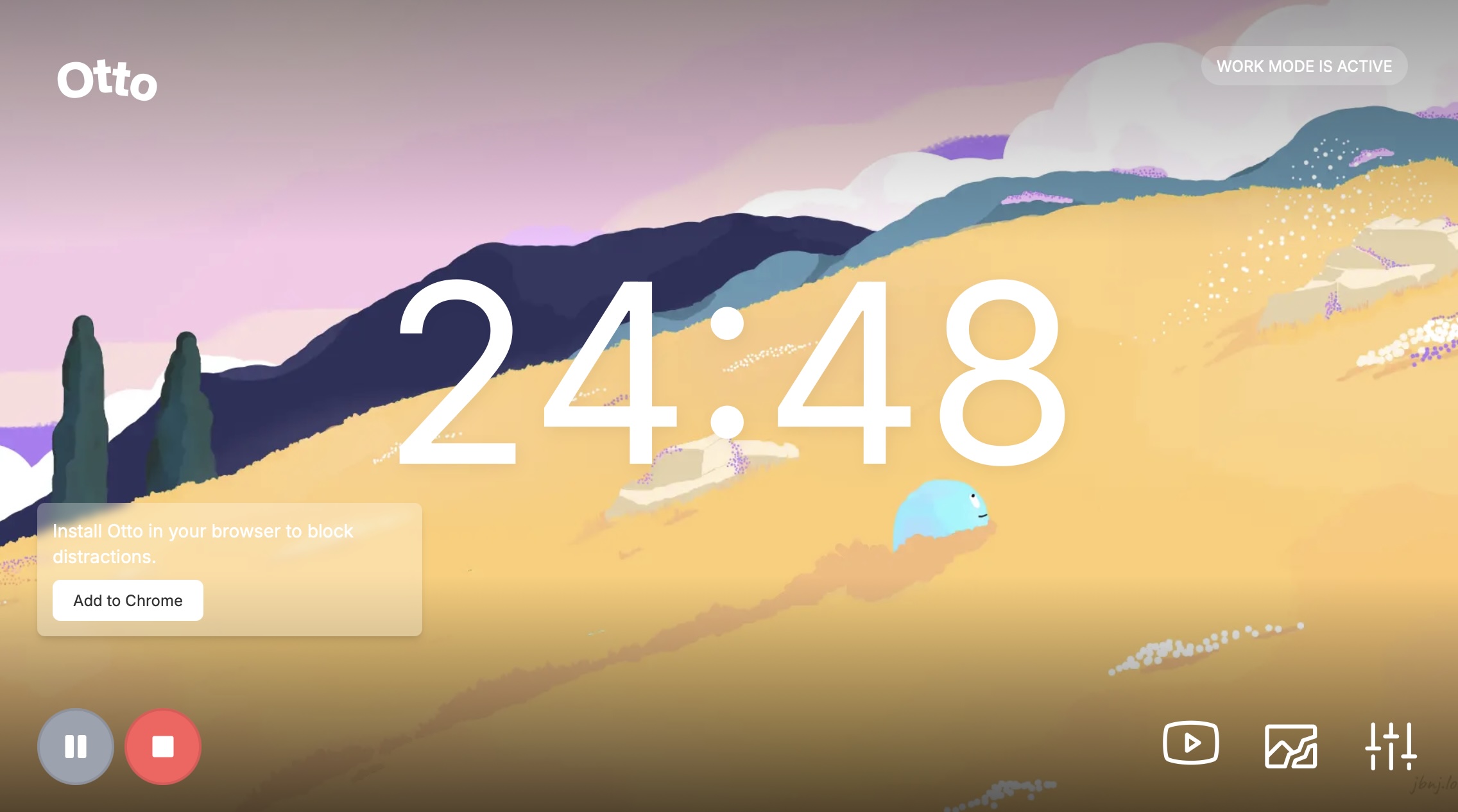
- Otto: A Chrome extension for Windows and Chrome users. It includes website blocking and productivity tracking. Offers a gamified interface with a mascot that lifts weights. Not available as a native Windows app.
- Forest: A mobile app with a tree-growth mechanic. Users plant trees during focus sessions. If they leave the app, the tree dies. Deep Focus Mode prevents phone use during work. Offers analytics and social features in its Plus version.
- Flow: A minimalist app for Apple users. Offers a free plan with core features. Paid plans start at $1.49/month. Syncs across Mac, iPhone, and Apple Watch. Integrates with Apple Calendar.
- Session: A feature-rich app for Mac users. Syncs across Mac, iPhone, iPad, and Apple Watch. Includes calendar integration, app blocking, and mindful breathing prompts. Supports Apple’s Live Activities and Shortcuts automation. Pricing starts at $4.99/month.
Key Features and Limitations
Each app offers different strengths. The best choice depends on user needs and device preferences.
Pomodor stands out for simplicity and accessibility. It runs in a browser and requires no download. Users can adjust work and break times through settings.
Otto is a strong option for Windows users. It fills a gap in native Windows productivity tools. However, as a Chrome extension, it has limitations in performance and access compared to native apps.
Forest is effective for mobile users. Its gamification helps maintain focus. However, some users report it can be slow and the interface may feel distracting.
Flow offers a balanced approach. It is affordable and minimalist. It lacks advanced features like analytics or deep integration, making it less suitable for power users.
Session is feature-rich but expensive. It includes over-the-top integrations and prompts. While it supports advanced workflows, the cost may not justify it for casual users.
App Evaluation Criteria
Apps were evaluated based on several factors:
- Functionality: Does it support core Pomodoro cycles?
- Customization: Can users adjust work and break times?
- Device compatibility: Does it work across platforms?
- Integration: Does it connect with calendars or task managers?
- Performance: Is it stable and responsive?
- Maintenance: Is the app actively updated?
Only apps that are actively maintained and under development were included. Many older apps were excluded due to lack of updates or reliability.
Other Options and Considerations
Not all apps are designed as Pomodoro tools. Some include timers as a feature, not as a core function.
Physical kitchen timers or sand timers remain viable options. Analog devices can reduce digital distractions and improve focus.
Apps like Any.do offer focus modes similar to Forest. However, they are primarily to-do list tools, not dedicated timers.
Tools like Pomello integrate with Trello and support Kanban workflows. These are better for project-based work than general Pomod-oro use.
Focus Mode by Geekbot works with Slack. It can be used as a distraction blocker. It functions best when Slack is a major source of interruptions.
For users who want a Pomodoro timer with task management, apps like Focus offer combined functionality.
Is the Pomodoro Technique Right for You?
The technique works best for users who struggle with focus or task-switching. It provides structure without rigidity.
It may not suit those who work in long, uninterrupted sessions or who prefer flexible time blocks.
Users should experiment with different time lengths and break durations. The ideal setup depends on individual habits and work styles.
There is no one-size-fits-all solution. The key is to find a system that supports consistent progress without friction.
For those seeking alternatives, other time management techniques exist. The Pomodoro Technique can serve as a foundation, but it does not have to be followed strictly.
Ultimately, productivity comes from experimentation. Users should try different tools and methods to find what works best for them.
Original article by Sean Kennedy, updated in October 2026 with contributions from Jessica Greene, Jennifer Allen, and Justin Pot. Source: Zapier Blog
Sources & further reading
Featured image: original publisher image. Via original publisher. Image source